


Which is the Best AI Presentation Maker to Choose in 2025?
13 min read
05 May 2025
By Aijaz Mughal
Remember those late nights staring at slides, juggling layouts, picking colors, and racing to finish before the deadline?
We’ve all been there!
Making a good presentation often feels like way more work than it should be. It’s frustrating, stressful, and often doesn’t even turn out the way you imagined.
But things are different now. In 2025, the increasing trend of using the AI presentation maker is changing how we build presentations. Being brutally honest, these tools don’t just help you work faster, they actually make the process easier, smoother, and a lot less painful.
We’ve personally tested the most talked-about AI tools for presentations to see which ones actually live up to the hype. In this guide, we’re breaking down the best AI presentation makers of 2025, with honest insights to help you find the one that actually works for you, whether you’re a busy professional, teacher, entrepreneur, or student.
The Best AI Presentation Maker: Quick Comparison
| AI Presentation Maker | Best For | Key Strengths | Pricing |
| Gamma | Quick, interactive presentations | Fast slide generation with interactive features | Free: $0/month
Plus: $8/month Pro: $15/month |
| Beautiful.ai | Design consistency | Smart templates with dynamic slide customization | Pro: $12/month
Team: $40/month (billed annually) $50/month (billed monthly) Enterprise: Contact Sales |
| Microsoft Copilot Pro for PowerPoint | Microsoft 365 users | Deep PowerPoint integration and follow-up prompts | Microsoft 365 + $20/user/month |
| Gemini for Google Slides | Google Workspace users | AI image generation and smooth Docs/Drive integration | Google Workspace + $24/user/month |
| Pitch | Collaborative teams & sales | Real-time collaboration, data integration | Free: $0/month
Pro: $20/month Business: $80/month |
Why AI Presentation Makers Matter in 2025
Making presentations has long been a slow and tricky task, juggling design, content, and flow. In 2025, AI presentation makers are helping to take that load off, so you can create clear, impressive slides without the usual hassle.
Here’s why more people are turning to AI tools for presentation design this year:
Saves Time
AI-powered generators can build full presentations in minutes. You no longer have to start from scratch or spend hours formatting slides. This gives you more time to focus on content and delivery.
Keeps Slides Consistent
Design isn’t everyone’s strength, and that’s okay. An AI PowerPoint generator ensures your slides look clean and professional by automatically applying layout rules, color schemes, and fonts that fit together well.
Adds Creative Structure
Sometimes the hardest part is knowing how to start. A good AI tool for presentation can offer unique slide outlines, flow suggestions, and even content ideas that you might not have thought of yourself.
Easy Access and Integration
Most of the best AI presentation makers are either built into tools you already use, like PowerPoint and Google Slides, or available online. That means you don’t need to learn something entirely new or pay for complex software.
Supports Everyone
Whether you’re a designer, a marketer, a student, or someone who just wants to make a clean, impressive presentation fast, AI makes it easier to create something you can be proud of.
What Features Should You Look for in the Best AI Presentation Maker?
Picking the right AI presentation maker means choosing a tool that fits how you work and what you need. Since not all AI tools for presentations offer the same capabilities, it’s important to know which features really matter.
Here are the essential features to keep in mind when evaluating your options:
User-Friendly Interface
A simple, clear interface helps you build presentations without wasting time figuring out complicated menus or settings.
Customization Options
Look for tools that let you adjust colors, fonts, and layouts to match your brand or personal style. The best AI PowerPoint generators balance automation with flexibility.
Integration with Other Platforms
Whether you work mainly in PowerPoint, Google Slides, or other software, seamless integration means smoother workflows and less switching between apps.
Collaboration Tools
If you’re working with a team, real-time collaboration features can make a huge difference. Sharing ideas and edits instantly keeps everyone on the same page.
Multiple Export Options
The ability to export presentations in different formats, like PDF, PPTX, or even video, ensures you can share your work wherever it’s needed.
5 Best AI Presentation Maker to choose in 2025
1. Gamma
Creating clean, cohesive presentations used to be a headache, especially when each slide looked like it came from a different designer. Gamma changes that completely. It’s one of the most intuitive AI presentation makers out there in 2025, designed for people who want beautiful results without spending hours on formatting.
We’ve tested Gamma ourselves, and it impressed us with its speed, layout consistency, and user-friendly features. Whether you’re building a pitch deck, a training guide, or a product walkthrough, Gamma helps you get it done.
Here’s what makes Gamma stand out:
- Instant Presentation Drafts: Just type your topic, choose how many slides you want, and Gamma builds your deck in under a minute.
- Smart Design Tools: No more layout mess. Gamma automatically aligns fonts, colors, and spacing to give you a sleek, professional look.
- Interactive Features: Embed multimedia, buttons, or even web content, great for engaging your audience.
- Advanced Customization: Tweak tone, audience type, or even the AI image style. You’re in control without needing design experience.
- Seamless Edits: Use natural prompts to edit text or visuals instantly.
Gamma isn’t just limited to slide decks. You can also use it to build landing pages and documents, making it more than just an AI tool for presentations. It’s a versatile content builder that helps you maintain brand consistency across formats
Pricing:
- Free: $0/month
- Plus: $8/month
- Pro: $15/month
2. Beautiful.ai

If you’re someone who wants clean, polished slides without spending hours tweaking every element, Beautiful.ai is a great AI presentation maker to explore. It takes the guesswork out of design, offering smart layouts that adjust automatically as you work, so your focus stays on the message, not the formatting.
What sets Beautiful.ai apart is its balance between automation and control. It gives you a strong first draft to work with, but also provides the flexibility to fine-tune every detail without overwhelming you with endless buttons.
Here’s what makes Beautiful.ai stand out:
- Smart Templates: Choose from 100+ slide templates that automatically adjust as you add or remove content, no dragging or resizing needed.
- Data Visualization: Easily turn complex numbers into clean, attractive charts, graphs, and visuals that actually make sense to your audience.
- Real-Time Collaboration: Assign slides to teammates, leave comments, and update in sync, perfect for remote teams or fast-moving projects.
- Branding Tools: Keep every presentation on-brand with style presets and logo integration that make consistency easy.
Whether you’re building a weekly report, pitching ideas to clients, or teaching a class, Beautiful.ai saves time while keeping your slides looking sharp.
Pricing:
- Pro: $12/month
- Team: $40/month (billed annually) & $50/month (billed monthly)
- Enterprise: Contact Sales
3. Microsoft Copilot for PowerPoint
If you already live in the Microsoft 365 world, Copilot for PowerPoint might be the AI presentation maker you’ve been waiting for. Instead of starting from scratch or spending hours formatting slides, Copilot helps you build structured, on-brand presentations straight from a simple prompt, or even a Word doc.
It’s designed for professionals who need results fast without giving up control.
Here’s what makes Copilot a powerful companion for effortless, professional-grade presentations:
- Narrative Builder: Instantly convert long Word documents into structured, presentation-ready slides.
- Smart Design Suggestions: Get layout ideas, visuals, and formatting that match your content without the manual work.
- Auto-Generated Speaker Notes: Let Copilot draft helpful talking points for each slide, so you stay focused on delivery.
- Built-in Translation: Easily translate your entire presentation into over 40 languages for smooth global communication.
Pricing:
- Microsoft 365 + $20 per user/month
4. Gemini for Google Slides
If you’re already using Google Workspace, Gemini for Slides fits right in, making your presentation process faster and smarter without switching apps. It acts as a helpful assistant that lets you create, edit, and polish slides seamlessly within Google Slides.
Rather than generating full decks from scratch, Gemini helps you work smarter by pulling content from your Docs, Gmail, or Drive and adding AI-powered touches like images and summaries right where you need them.
Here are the key features that make Gemini a good AI tool for presentation:
- Content Assistance: Summarize info, brainstorm ideas, or draft text right inside your Slides.
- Multilingual Capabilities: Create and edit in multiple languages, great for classrooms, teams, or global presentations.
- AI Image Generation: Generate custom visuals without leaving your slide, with up to four image options to choose from.
- Smooth Workspace Integration: Pull content from Docs, Gmail, or Drive with simple mentions, no copy-paste required.
Pricing:
- Google Workspace + $24 per user/month
5. Pitch
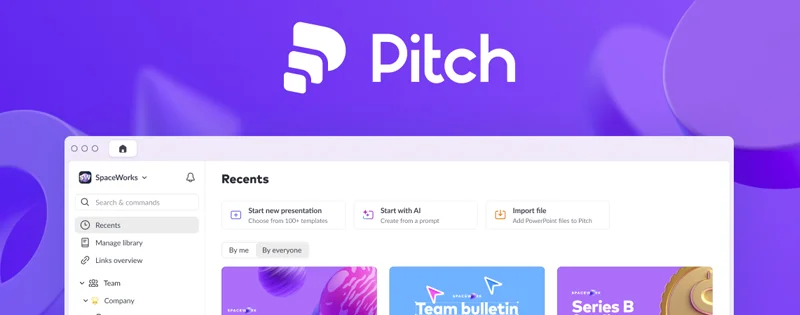
If you’re building presentations as a team, especially for sales, Pitch is built with you in mind. It’s fast, collaborative, and designed to impress. Whether you’re preparing for a client pitch or syncing with your internal team, Pitch keeps everyone on the same page in real time.
With modern templates, smart integrations, and sleek design tools, Pitch lets you create high-impact decks without starting from zero. Just enter your prompt, adjust the look, and the AI lays out a strong, structured presentation personalized for your goals.
Here’s why teams love Pitch:
- Live Collaboration: Work on slides at the same time, leave comments, and track changes, just like Google Docs, but for presentations.
- Modern Templates: Access sleek, customizable templates built to match your brand or your audience.
- Presentation Analytics: See who’s viewed your deck, how long they spent, and which slides got the most attention.
- Seamless Integrations: Pull in live data from Google Sheets, ChartMogul, or your CRM. Share updates via Slack or sync with Google Drive.
Pricing:
- Free: $0/month
- Pro: $20/month
- Business: $80/month
Not Sure Which AI Presentation Maker to Use?
The right AI presentation maker depends on how you work, what you need to achieve, and who you’re presenting to. Some tools focus on speed, others on design, collaboration, or platform integration. It’s less about picking the “best” one overall and more about finding the one that fits your workflow and helps you deliver presentations that actually connect with your audience.
For fast, interactive presentations
If you want to generate polished slides quickly and add interactive elements like clickable buttons or expandable sections, Gamma is a solid choice. It’s perfect for storytelling, client demos, or internal briefings that need to keep people engaged.
For consistent, professional design
Beautiful.ai helps you maintain clean, brand-aligned visuals without needing design experience. Its smart templates and layout automation make it easy to create sleek presentations that look like they were built by a pro.
For Microsoft 365 users
If you already work within the Microsoft ecosystem, Copilot for PowerPoint is an excellent AI presentation maker. It can turn Word documents into slides, suggest layouts, and even generate speaker notes, all without leaving PowerPoint.
For Google Workspace users
Gemini for Google Slides adds powerful AI features right inside the Slides interface. You can summarize content, generate visuals, and create presentations more efficiently, all while staying within the tools you already use, like Docs, Sheets, and Gmail.
For real-time collaboration
Pitch is ideal for teams that need to co-create presentations. Whether you’re building investor decks, internal reports, or client proposals, Pitch makes it easy for multiple people to work together, comment, and edit in real time.
Having said that, however, if your needs are more complex or brand-specific, working with a PowerPoint design company can give you a major advantage. From custom pitch decks to data-heavy reports, expert designers can craft high-impact presentations that elevate your message and make a lasting impression.
Wrap Up!
Finding the right AI presentation maker in 2025 comes down to matching its strengths to your needs.
Gamma speeds up your slides. Beautiful.ai keeps them looking sharp. Copilot lives inside PowerPoint. Gemini boosts Google Slides, and Pitch powers real-time teamwork. Each tool tackles a different pain point, so test the ones that fit your style. With these options, you can finally leave stressful all-nighters behind and deliver clear, confident presentations fast.
Try one today, and see how easy creating slides can be!
Author
Aijaz Mughal is a digital marketing strategist, business growth advisor and Founder & Managing Director of Aun Digital. With more than 15 years of experience in the UAE market, he has worked across SEO, PPC, performance marketing, digital strategy, social media, project management and team leadership.Throughout his career, Aijaz has worked with leading brands including Emaar, Masdar, Honda, Leejam, Unilever, The Dubai Mall, Emerson, Moorfields and Yamaha, helping businesses develop effective digital strategies and achieve measurable growth.
Speak to an Expert